A ZumiLabs tool · built by five people who hated open tabs

Know what's worth your time
before you open it.

OmniBrief is a private reading queue that summarises articles, PDFs and YouTube videos before you commit to them. Queue links as you browse, get short written or audio briefs, and file the useful ones into a searchable archive that never leaves your machine.

  • Runs on Chrome's built-in Gemini Nano
  • No account. No cloud. No telemetry.
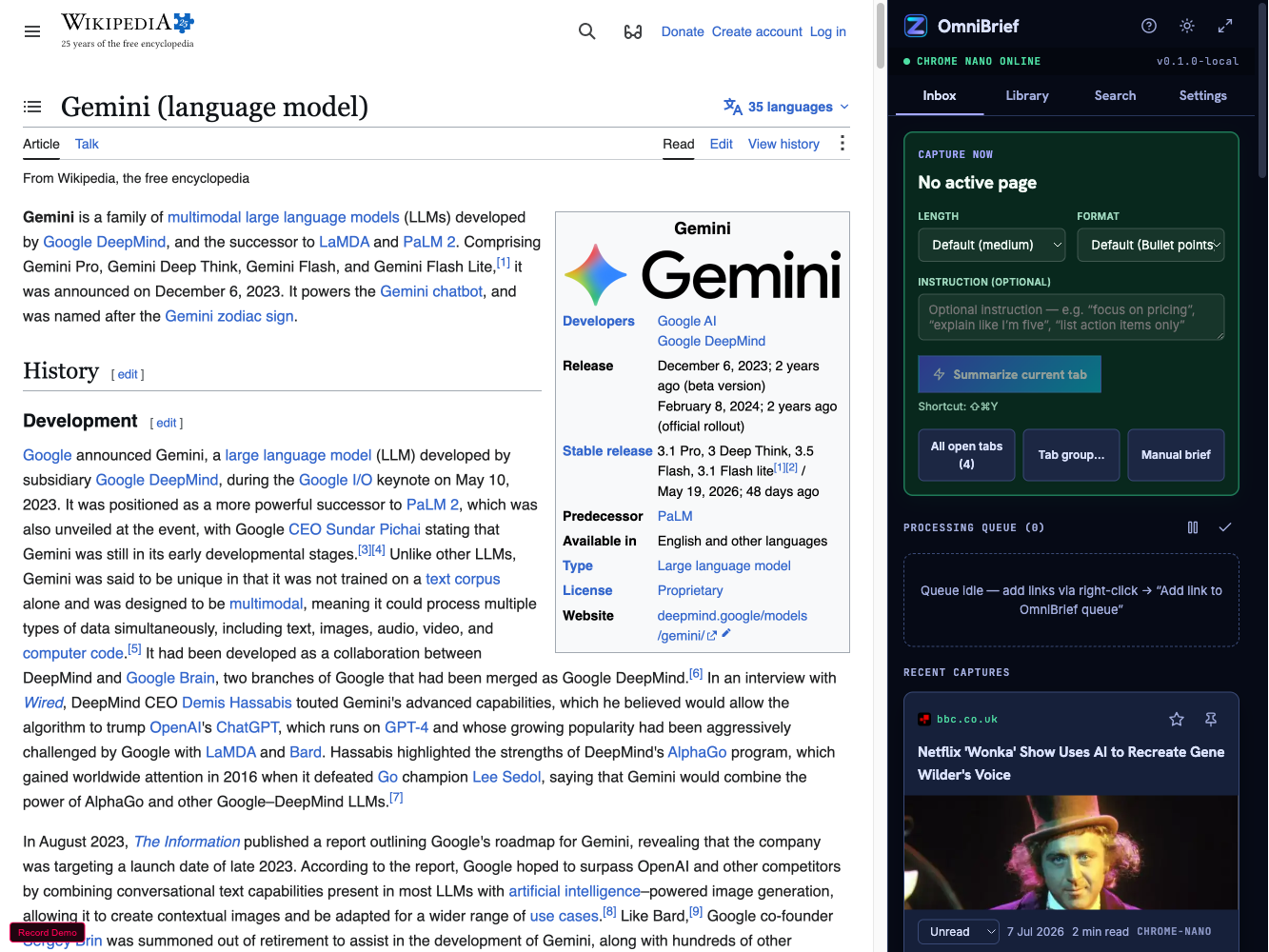
OmniBrief Chrome extension split view showing a page and its generated brief
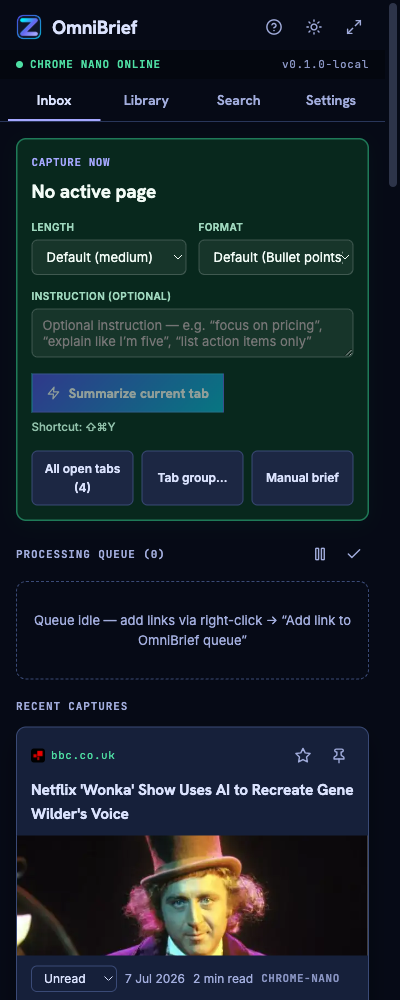
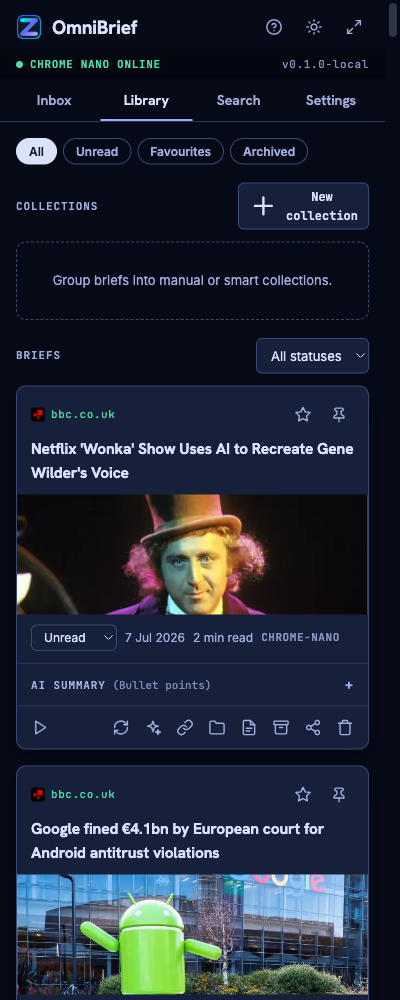
OmniBrief inbox queue with saved links

Core capabilities

A faster way to handle links, research and video.

Six things OmniBrief does well — and a few it deliberately refuses to do. We kept the surface small on purpose.

Know if a link is worth opening — first.

Right-click any article, PDF or YouTube URL and add it to your queue. OmniBrief reads the page and hands back a plain-language triage: what it is, how long it'll take, and whether it's actually about the thing you searched for. No more twelve tabs "just in case".
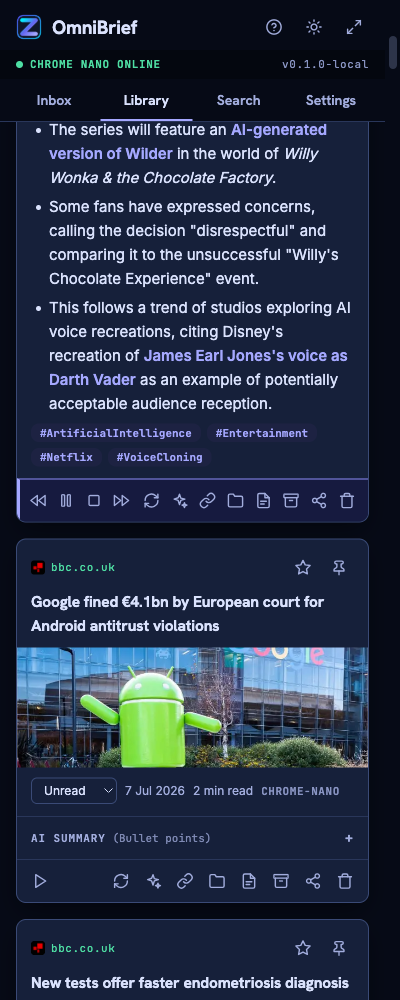
OmniBrief audio brief playback panel

Audio briefs, read out loud.

Every saved item can be spoken aloud with on-device speech. Good for screens off, walks, and multitasking.

A local archive that actually finds things.

Save the useful briefs and OmniBrief builds a searchable personal library — an offline vector index, so semantic search works even with the plug pulled.

Bring your own brain.

Point OmniBrief at the model you trust — Chrome's built-in Gemini Nano by default, or hand a private summary to Claude, ChatGPT or a local runtime. Your call, every time.

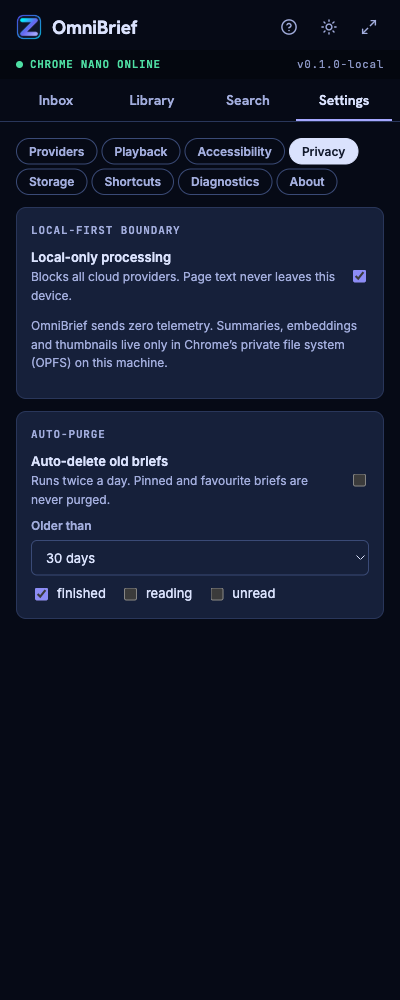
Private by design — and we mean it.

Choose a cloud LLM if you want, but the default keeps everything on device. No page content is uploaded unless you deliberately ask for it. Your keys, reading history and search stay yours.

Interaction flow

Designed for your daily browsing.

Three moves you already make — queue, brief, keep — with the friction taken out.

01

Queue links as you go.

Paste a URL or right-click to add. OmniBrief ingests articles and YouTube transcripts alike, and it'll grab local PDFs too if you hand it the file.

OmniBrief inbox queue
02

Get a brief — written or spoken.

Short summaries generated on-device in seconds. Prefer your ears? Have it read the brief aloud with adjustable speed while you do something else.

Audio brief playback
03

Keep only what mattered.

Save the good ones into a smart, searchable library. Semantic search finds the note you half-remember — offline, months later.

Smart searchable library

Our stance

How we protect your data.

Most "AI reading tools" are a pipe to someone else's server. We took the opposite bet: the model runs in your browser, the index lives on your disk, and nothing is phoned home. If that means we can't sell your reading habits — good.

  • Summaries run on Chrome's built-in Gemini Nano, on your device.
  • The vector index is stored locally — no cloud sync, no account.
  • Zero analytics, zero telemetry, zero tracking pixels. We checked.
  • Cloud LLMs are opt-in, per link, and you bring your own key.
Read the FAQ
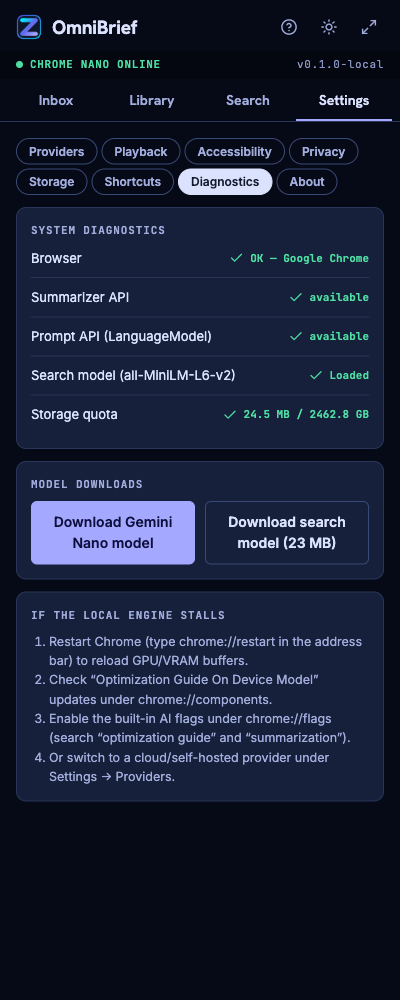
OmniBrief privacy configuration panel OmniBrief system diagnostics checks

Straight answers

Frequently Asked Questions.

How do I enable Chrome's built-in Gemini Nano model?

OmniBrief checks for the on-device model and walks you through turning it on the first time you run a brief. If your Chrome build doesn't ship it yet, you can point OmniBrief at a cloud model instead — the choice is always yours.

Does OmniBrief send my article contents or search terms to ZumiLabs?

No. Page content is processed locally by default, and nothing is sent to us. The only time text leaves your machine is if you deliberately choose a cloud LLM for a specific link — and then it goes to your provider, not to us.

How do I resolve a CORS error when connecting to Ollama?

Start Ollama with an origin that allows the extension (set OLLAMA_ORIGINS to include the extension origin) and OmniBrief will connect to your local runtime. There's a step-by-step check in the diagnostics panel.

Why can't OmniBrief extract content from local PDF files (file://)?

Chrome blocks extensions from reading file:// URLs unless you grant it. Toggle "Allow access to file URLs" on the OmniBrief extension page and local PDF briefing starts working immediately.

Can I use Claude or ChatGPT instead of the local model?

Yes. Add your own API key in settings and pick the model per link. OmniBrief hands over just the summary request — it never stores your key anywhere but your own browser storage.

Stop opening every link
just to see if it matters.

Install OmniBrief, queue the next thing you were about to open, and let it tell you whether it's worth your afternoon. Free, private, and off your screen when you want it.

Chrome extension · works offline · your keys, your data.